Weekly routines
Build the week from the exercise catalog or your own moves. Set the reps, load, or time, the rest between sets, and which days you recover.
 GryndGet the app
Solto Apps
Log every set. Own the week. Train with your team.
A native workout logger for iPhone and Android. Plan the week, run the session with a rest timer, and keep volume, streaks, and a coach-led team plan in one place.
Features
Grynd covers the plan, the session on the floor, and the record you look at afterward — alone or with a coach.
Build the week from the exercise catalog or your own moves. Set the reps, load, or time, the rest between sets, and which days you recover.
One exercise at a time. Mark the set, let the rest timer run, then advance. Sound, haptics, and a spoken cue keep the clock honest.
Presses take weight and reps. Bodyweight moves take reps. Planks and carries take duration. The logger follows the exercise, not a single form.
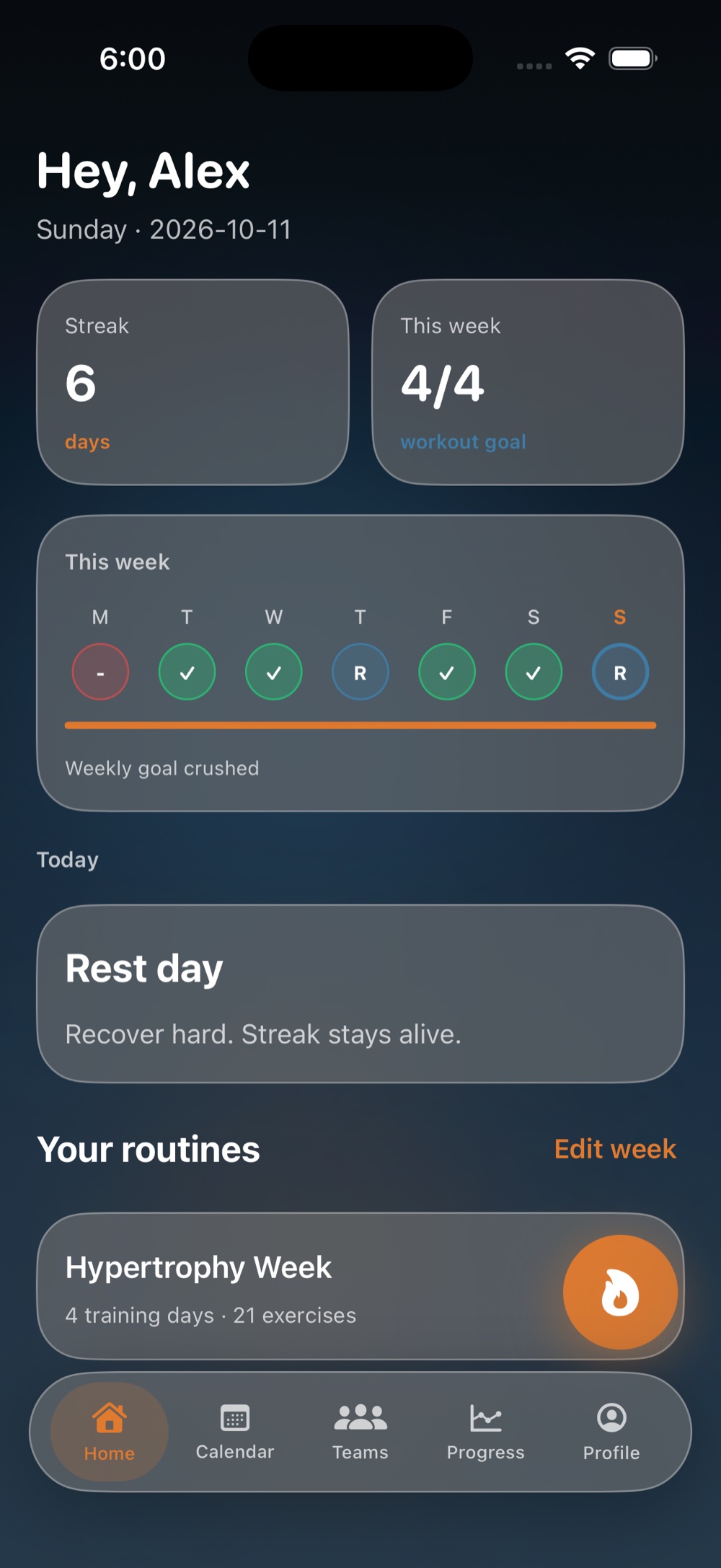
Home shows the current streak, how many sessions you have finished against the weekly goal, and whether today is training or rest.
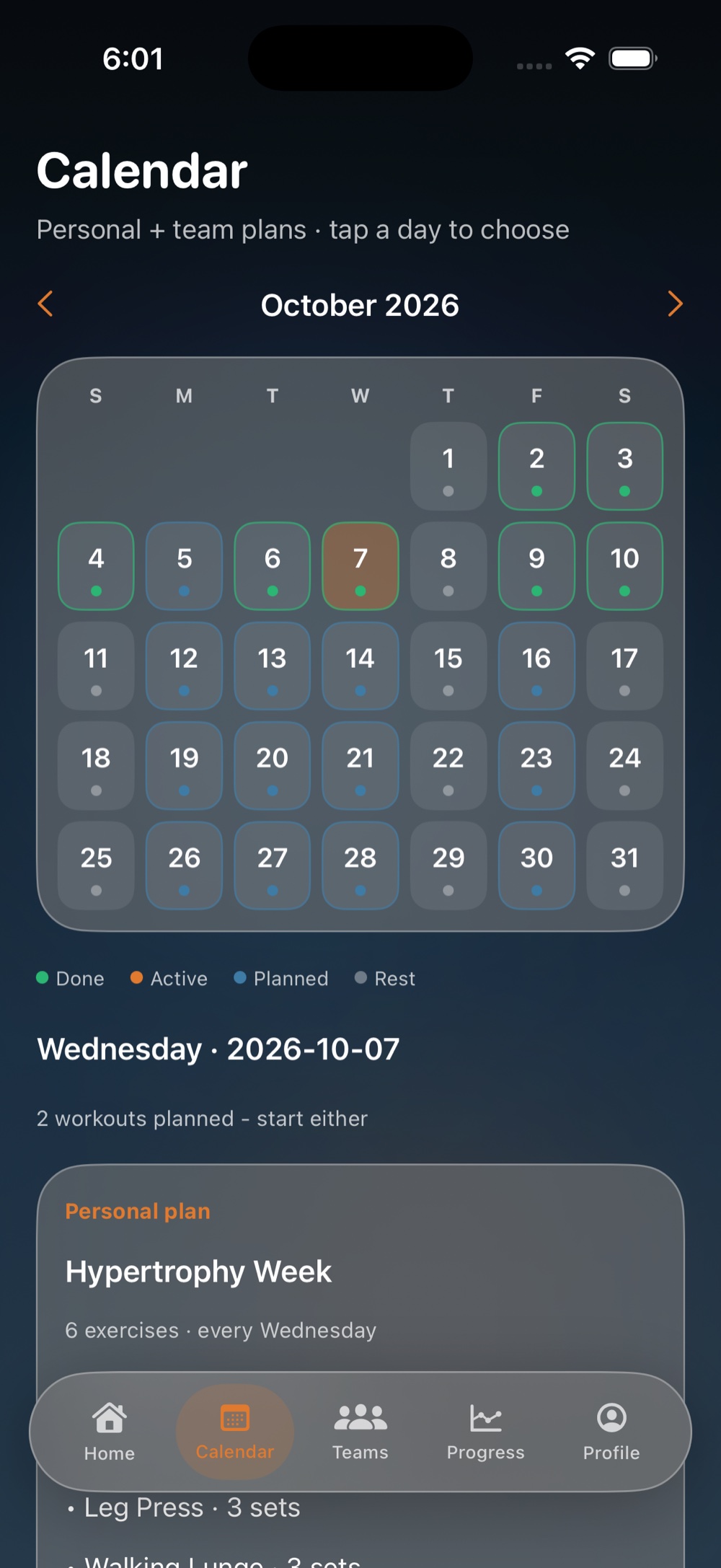
Personal plans and team plans sit on the same month. Days read as done, active, planned, or rest. Tap a date and start the session that is waiting.
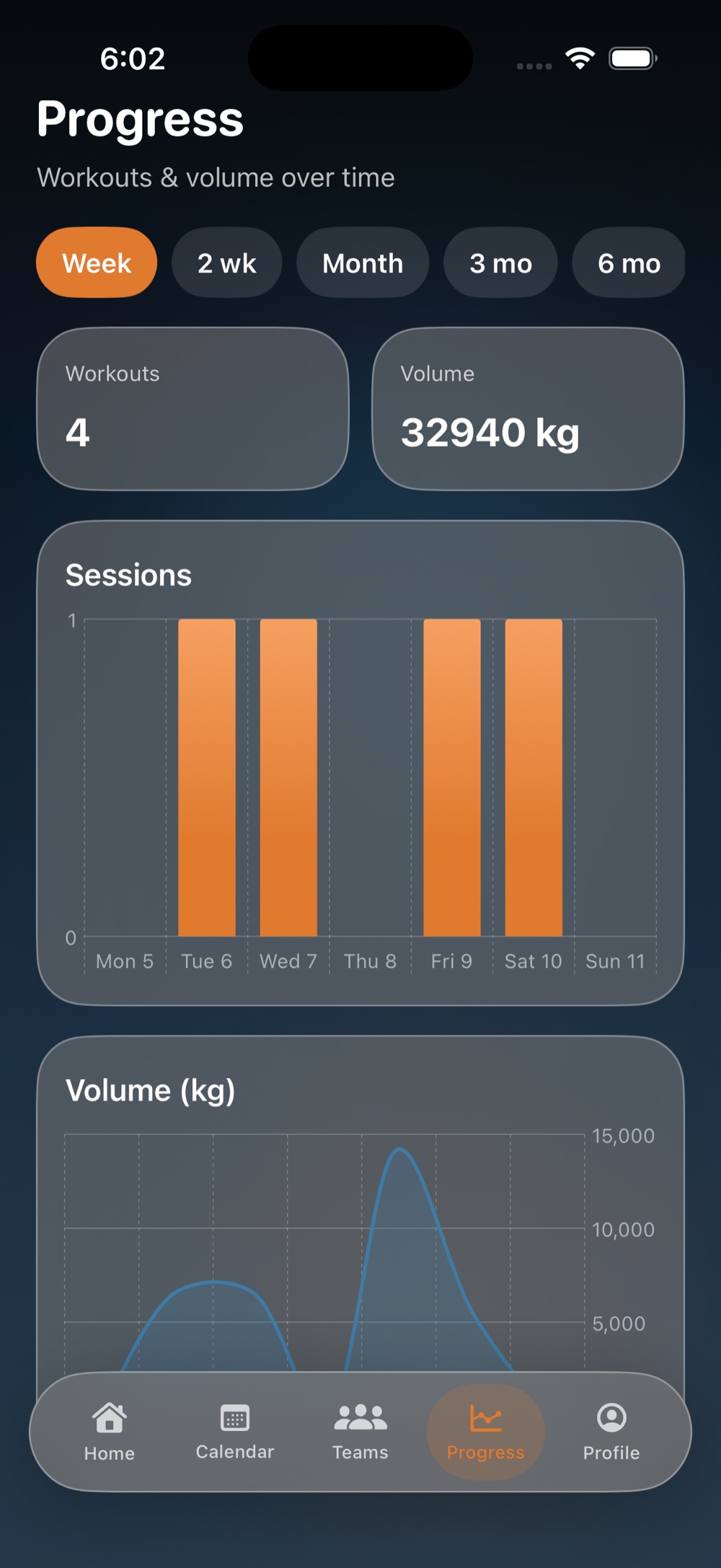
Sessions and training volume, from the current week out through two weeks, a month, three months, six months, and a year.
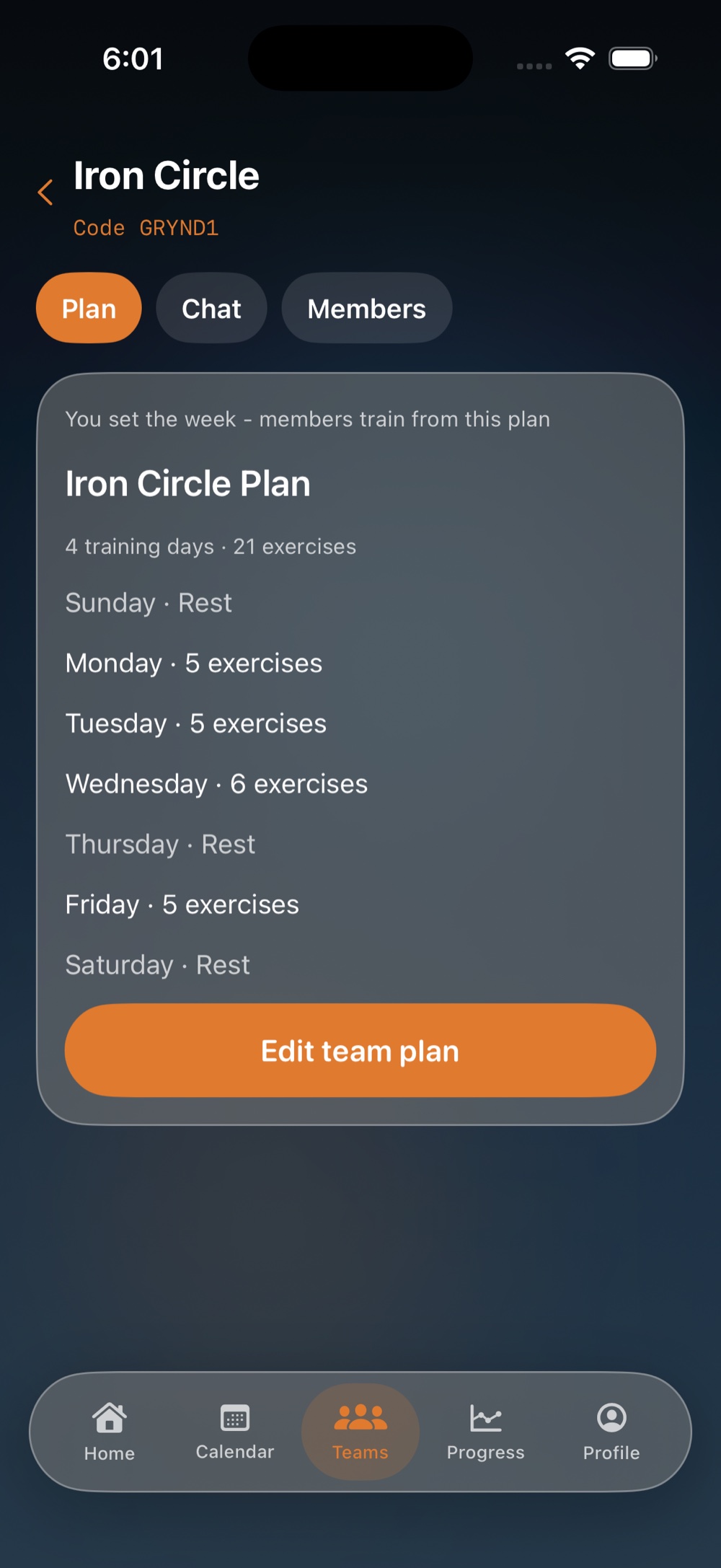
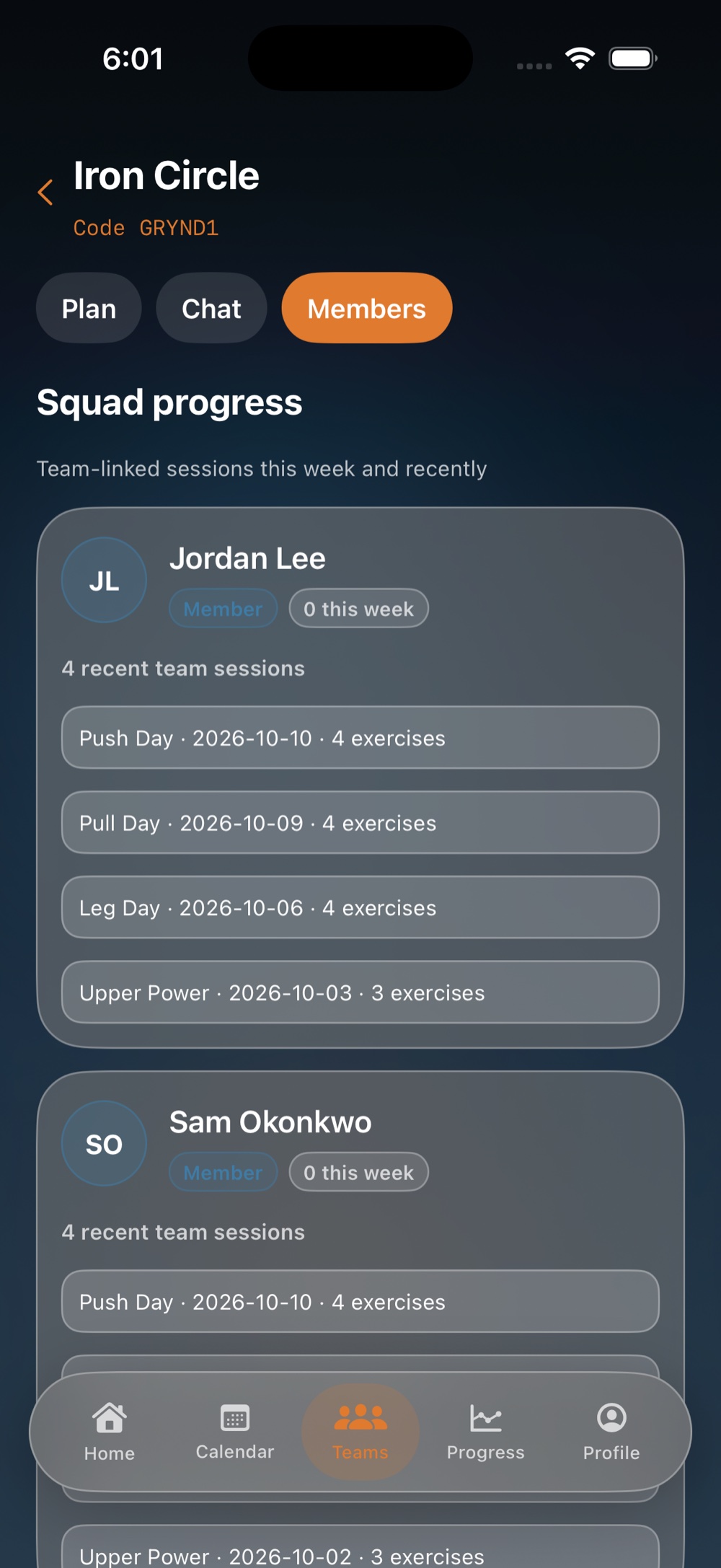
Create a team or join with a code and password. The coach publishes the week. Members train from that plan, and the coach can see team sessions.
Personal logs live on the phone. Cloud sync is optional. Team plans and chat use the network and catch up when you are back online.
The product
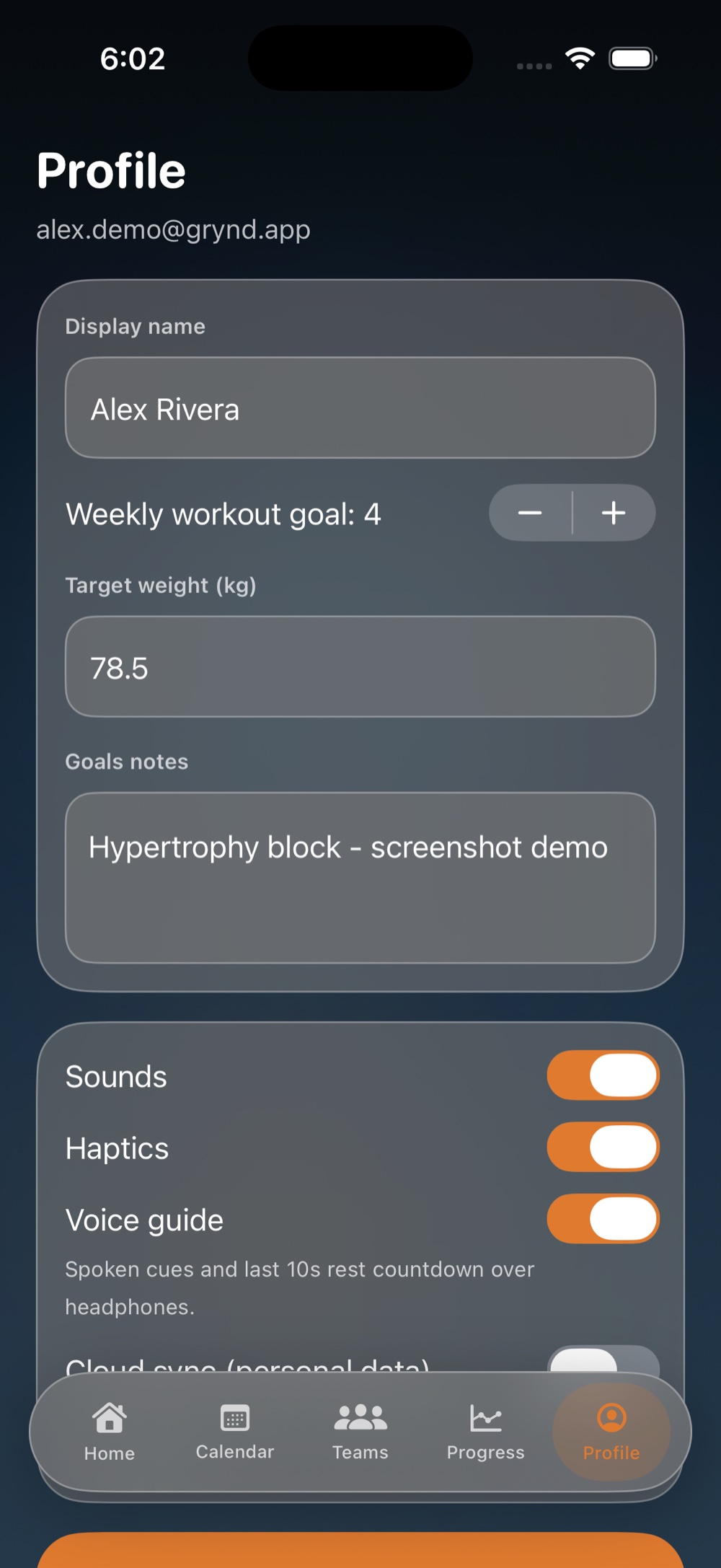
These are Grynd on iPhone: home, the calendar, a team, progress, and profile.
Home
Home opens on your name, the date, and two numbers that matter before the first set: the streak, and sessions finished against the weekly goal. A strip marks each day done, missed, or rest. Today is either the session or a rest day that keeps the streak.
Calendar
The month shows what already happened and what is still ahead. Completed days, the active day, planned sessions, and rest are marked separately. When a date holds both a personal workout and a team workout, you pick which one to start.
Teams
A coach creates the team and shares a join code plus a team password. Members train from the published week. The coach sees who has logged team sessions recently. Chat stays a text thread — no photos, no video, no files.
Progress
Progress totals the sessions you completed and the load you moved. Switch the window from this week to two weeks, a month, three months, six months, or a year. The bars are sessions. The line is volume.
Profile
Set a display name, a weekly workout target, a body-weight goal, and a note about the block you are in. Sounds, haptics, and the voice guide are separate switches. The voice guide speaks cues and the last ten seconds of rest on the device. Personal cloud sync stays off until you turn it on.
On the floor
The active workout walks the routine so you can stay with the bar. Grynd does not ask you to rebuild the session from a blank log.
Open the personal plan or the team plan. The sequencer lines up the exercises and the sets you already programmed.
Enter weight and reps, reps only, or a duration, depending on the move. Mark it done and the next set is waiting.
Rest runs between sets and after the exercise. Sound and haptics fire on the clock. The voice guide counts the last ten seconds. Tap the timer when you are ready early.
Download
Native on iPhone and Android. The same weekly plan, live rest timer, charts, and teams on both. App Store and Google Play listings are on the way.
Questions before the stores open: hello@soltoapps.top
FAQ
No. Personal routines and workout logs stay on the device. Create an account when you want cloud sync, a team, or team chat.
Personal logs are yours. If you train on a team plan, the coach can see team-linked sessions and recent progress for members of that team. Other members see the shared plan and the group chat.
No. Group chat is text only, up to 2,000 characters a message. Grynd does not upload images, video, or files.
You can build a personal plan and log a session offline. With cloud sync on, personal data uploads when the connection returns. Team plans and chat sync through Cloud Firestore and catch up after you reconnect.
No. Grynd records the plan and the session you enter. It does not prescribe loads, programs, or recovery, and it is not a substitute for a qualified coach or clinician.